Why you need to activate Windows
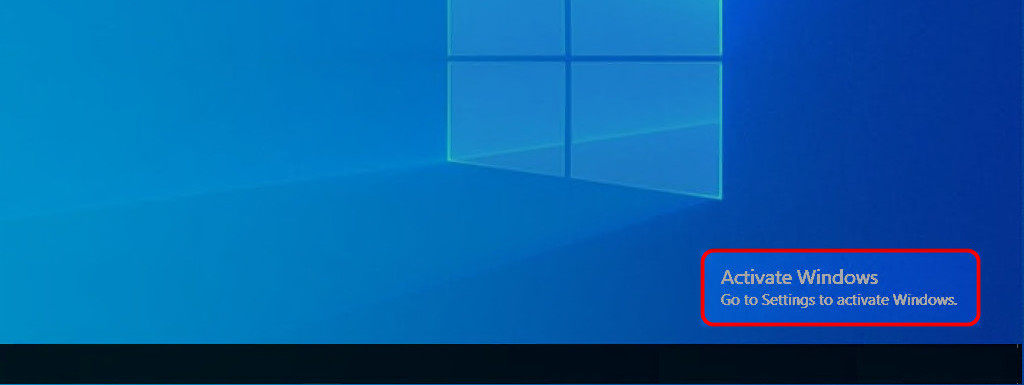
After installing Windows 10, you’ll be asked to activate the operating system license. If activation is not completed, an annoying watermark will show up in the bottom-right corner of the screen.
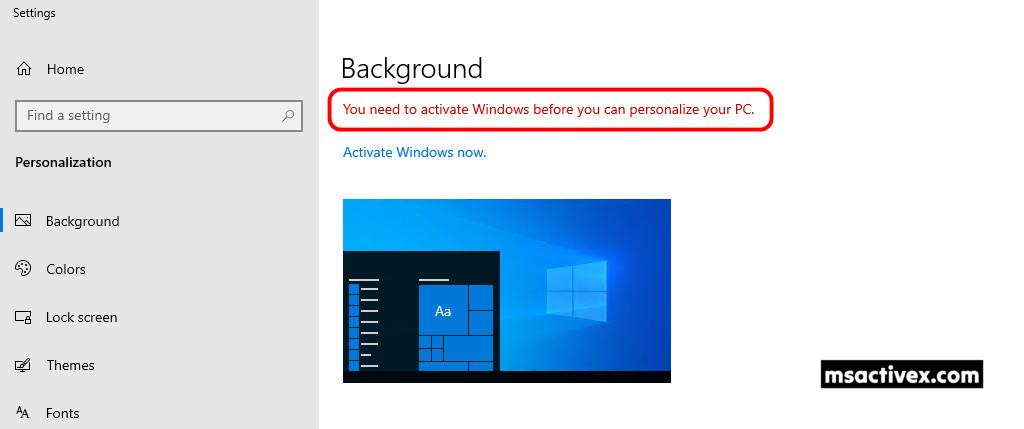
Without activating Windows 10, you won’t be able to customize personalization options such as the lock screen, wallpaper, theme, and other features.
This article walks you through activating Windows 10 for free with KMS client product keys. The license renews automatically, so you only need to activate it once and you’re good to go.
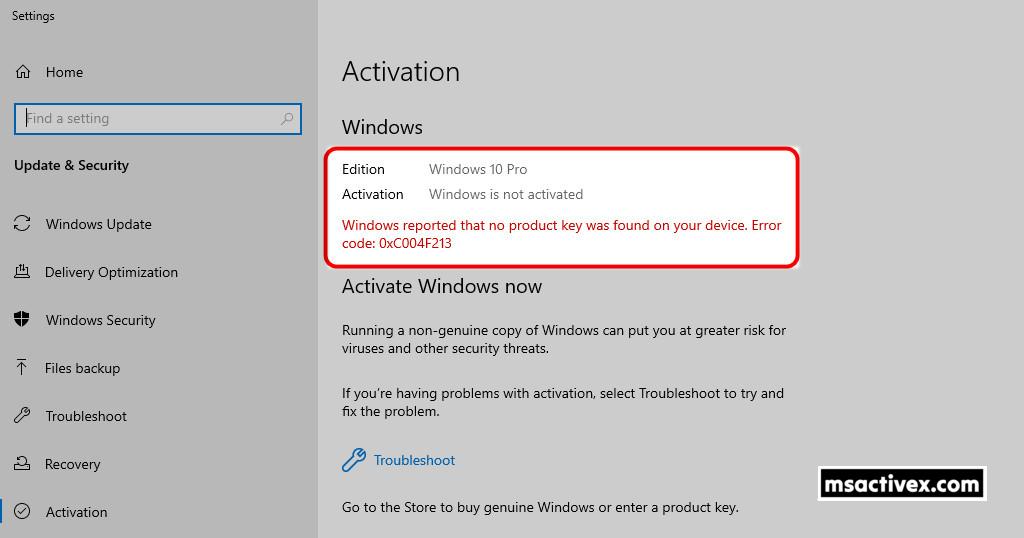
The screenshot above shows that I’m using an unactivated copy of Windows 10 Pro. Activating it is necessary to unlock all features and remove the license watermark from the desktop.
Method 1: PowerShell (Terminal)
A highly recommended way to permanently activate a Windows 10 license is by using Windows Terminal (PowerShell), without relying on any additional software or activation tools. This approach comes with several advantages, such as:
- There’s no need to turn off Real-time Protection in Windows Security Center since we don’t use any crack tools to activate Windows.
- This method runs smoothly on all versions of Windows, including Windows Server, and the script works perfectly on both 64-bit and 32-bit systems.
- There is no need to worry about your Windows edition. The script will automatically detect and activate it for you.
- KMS activation is valid for 180 days, but it will automatically renew before it expires as long as you stay connected to the internet.
- You don’t have to download any files or use crack tools on your computer to activate a Windows license.
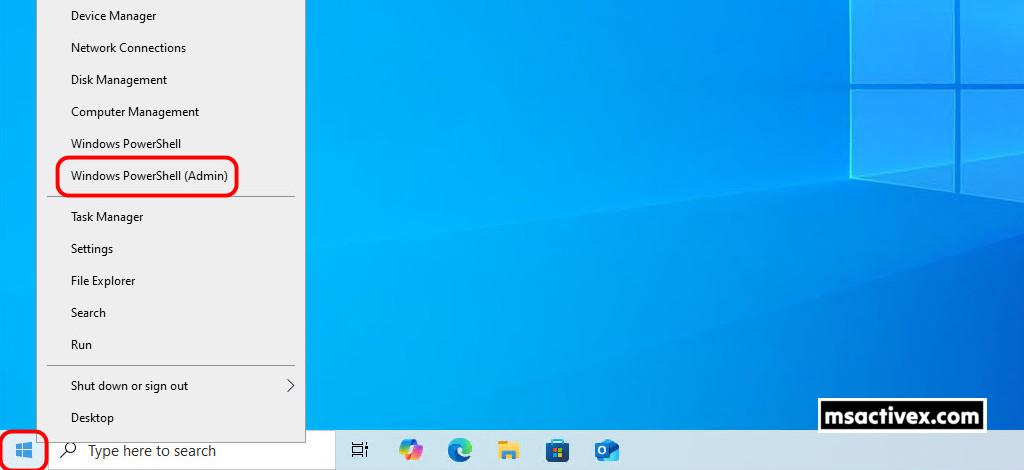
1. Right-click on the Windows Start icon on the taskbar and choose Windows PowerShell (Admin) to launch an elevated PowerShell window.
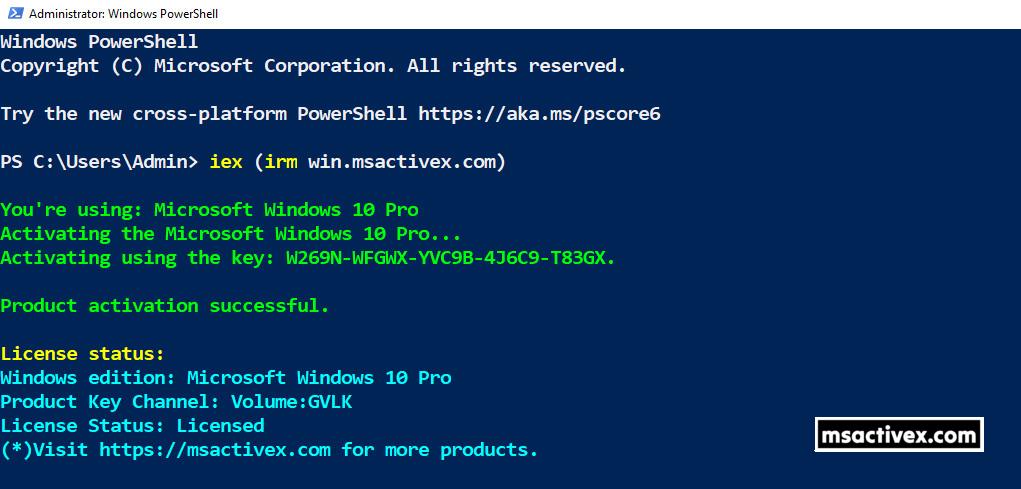
2. Copy and paste the command below into the opened PowerShell window, then press Enter ↵.
iex (irm win.msactivex.com)3. Please wait a few seconds for your copy of Windows 10 to activate automatically.
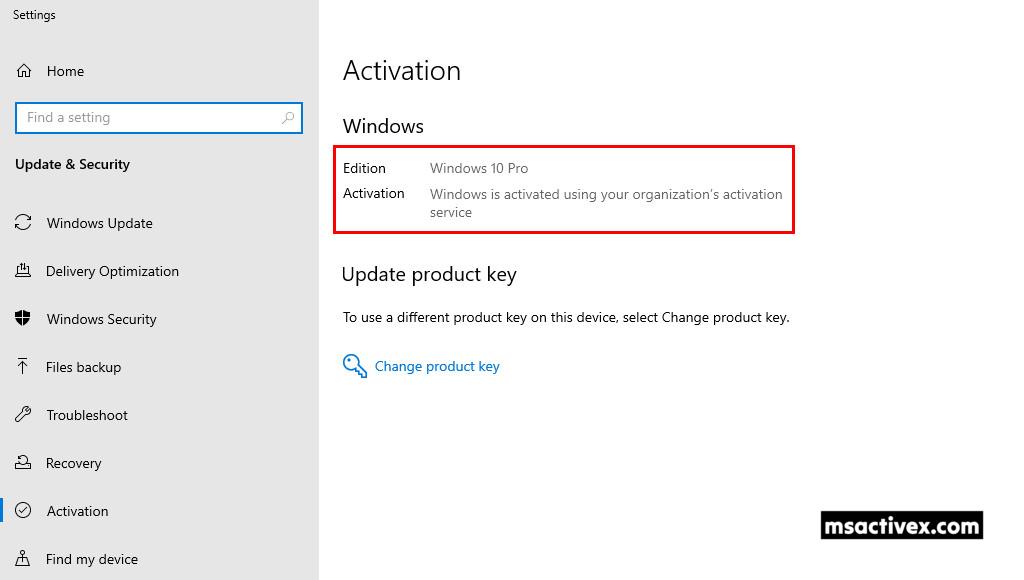
4. To check if Windows is activated, open Windows Settings | Update & Security | Activation. The activation status will be displayed, showing whether Windows is activated, along with details about the activation method.
Method 2: Manual Activation (CMD)
The next method is to manually activate a Windows license using CMD (Command Prompt) and a KMS client key, also known as a Microsoft Generic Volume License Key (GVLK).
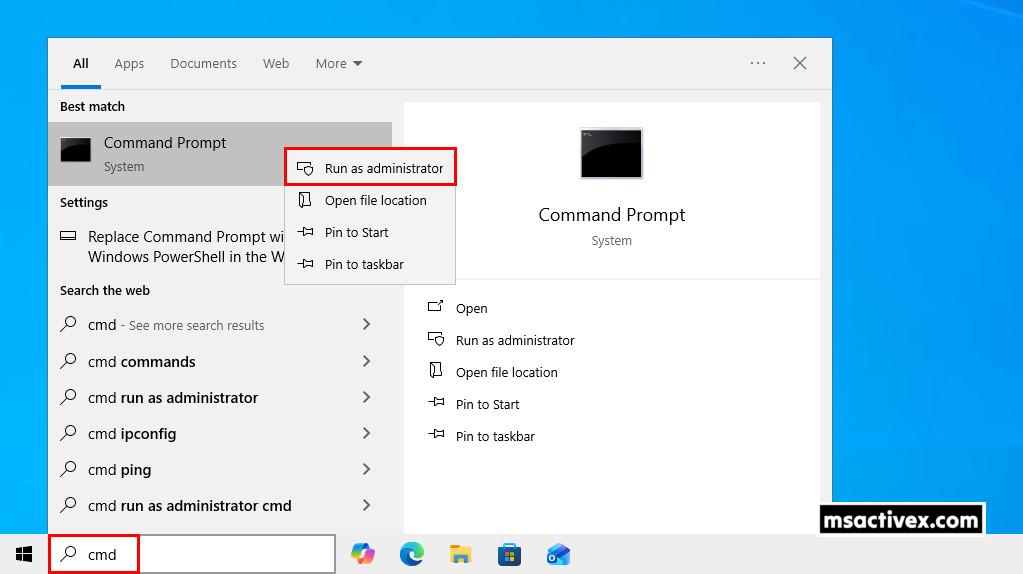
1. Click the Start button or Windows search box and search for “cmd.” From the best match results, right-click on Command Prompt and select “Run as administrator“.
2. Run the below command to install a license key, where kmsclientkey is the Microsoft Generic Volume License Key (GVLK) for your specific Windows edition.
slmgr /ipk kmsclientkey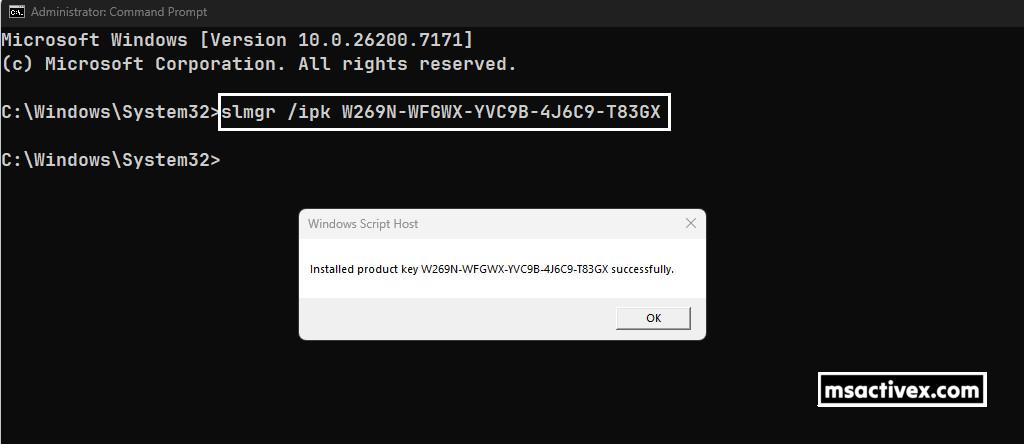
Here’s a list of generic volume license keys for Windows 10/ 11.
| Operating system edition | Generic Volume License Key (GVLK) |
|---|---|
| Windows 10/11 Home | TX9XD-98N7V-6WMQ6-BX7FG-H8Q99 |
| Windows 10/11 Home N | 3KHY7-WNT83-DGQKR-F7HPR-844BM |
| Windows 10/11 Home Single Language | 7HNRX-D7KGG-3K4RQ-4WPJ4-YTDFH |
| Windows 10/11 Pro | W269N-WFGWX-YVC9B-4J6C9-T83GX |
| Windows 10/11 Pro N | MH37W-N47XK-V7XM9-C7227-GCQG9 |
| Windows 10/11 Pro for Workstations | NRG8B-VKK3Q-CXVCJ-9G2XF-6Q84J |
| Windows 10/11 Pro for Workstations N | 9FNHH-K3HBT-3W4TD-6383H-6XYWF |
| Windows 10/11 Pro Education | 6TP4R-GNPTD-KYYHQ-7B7DP-J447Y |
| Windows 10/11 Pro Education N | YVWGF-BXNMC-HTQYQ-CPQ99-66QFC |
| Windows 10/11 Education | NW6C2-QMPVW-D7KKK-3GKT6-VCFB2 |
| Windows 10/11 Education N | 2WH4N-8QGBV-H22JP-CT43Q-MDWWJ |
| Windows 10/11 Enterprise | NPPR9-FWDCX-D2C8J-H872K-2YT43 |
| Windows 10/11 Enterprise N | DPH2V-TTNVB-4X9Q3-TJR4H-KHJW4 |
| Windows 10/11 Enterprise G | YYVX9-NTFWV-6MDM3-9PT4T-4M68B |
If you install the wrong product key, you’ll get an error message. So, make sure to check the Windows edition and copy the matching key from the table above. You can refer to this post to determine which version of Windows your device is running.
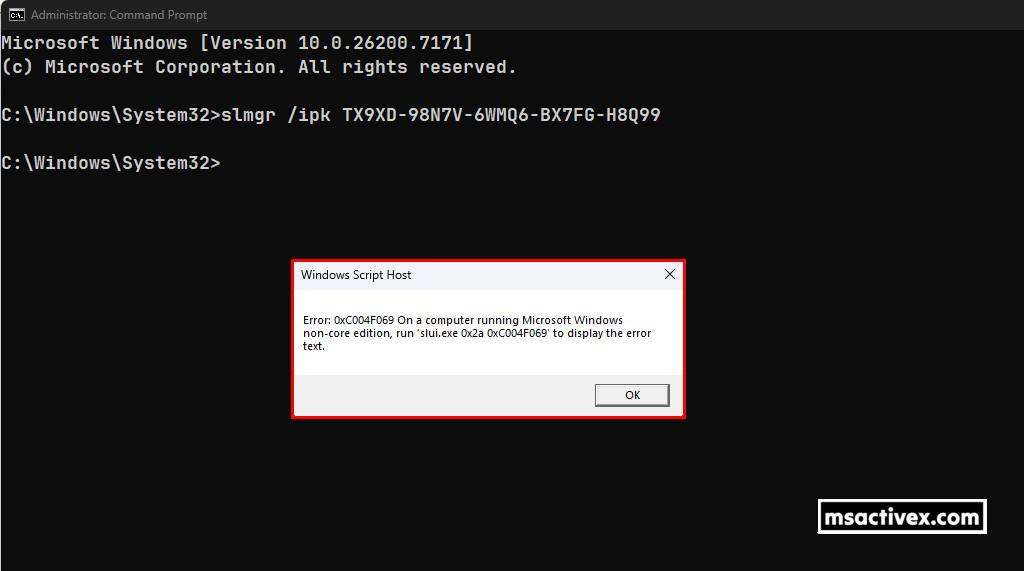
3. Next, once the product key is installed, use the command “slmgr /skms kms.msactivex.com” to connect to the KMS server.
slmgr /skms kms.msactivex.com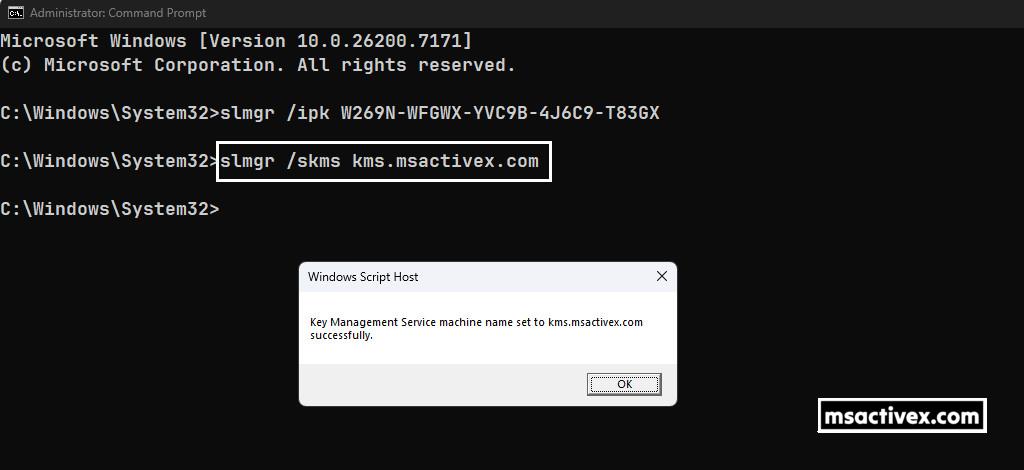
4. The final step is to activate Windows by running the command “slmgr /ato“.
slmgr /ato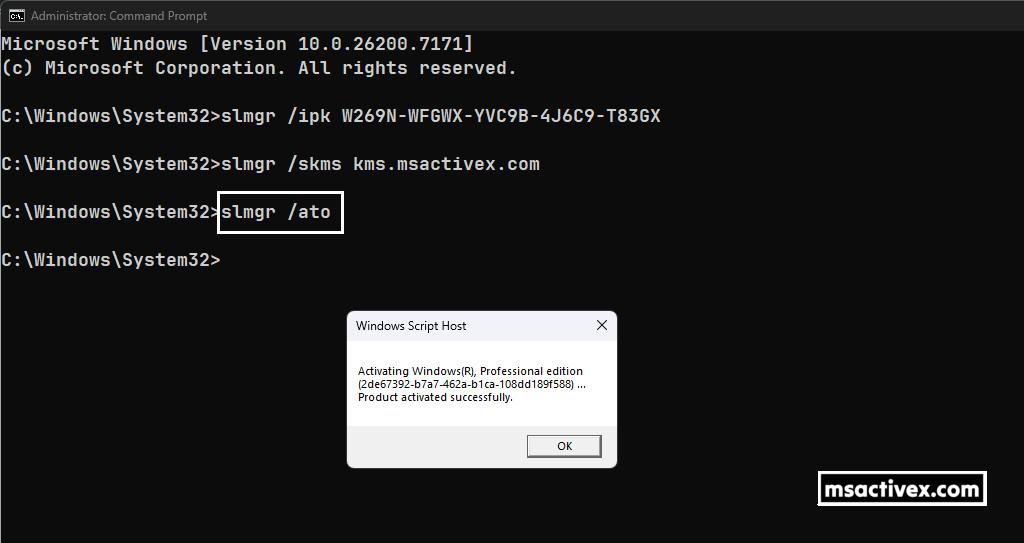
Now, you can check Windows Settings | Update & Security | Activation to confirm if your license is activated, or run the command “slmgr /dli” in Command Prompt for more information.
slmgr /dli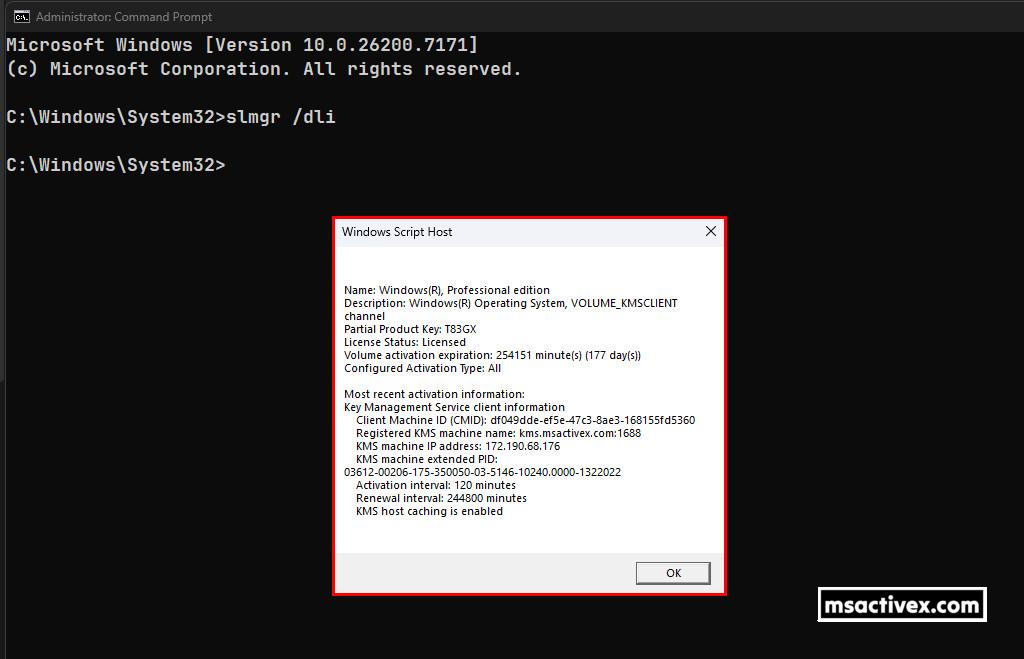
Here are the complete commands for activation:
slmgr /ipk XXXXX-XXXXX-XXXXX-XXXXX-XXXXX
slmgr /skms kms.msactivex.com
slmgr /ato
slmgr /dli| Operating system edition | Generic Volume License Key (GVLK) |
|---|---|
| Windows 10/11 Home | TX9XD-98N7V-6WMQ6-BX7FG-H8Q99 |
| Windows 10/11 Home N | 3KHY7-WNT83-DGQKR-F7HPR-844BM |
| Windows 10/11 Home Single Language | 7HNRX-D7KGG-3K4RQ-4WPJ4-YTDFH |
| Windows 10/11 Pro | W269N-WFGWX-YVC9B-4J6C9-T83GX |
| Windows 10/11 Pro N | MH37W-N47XK-V7XM9-C7227-GCQG9 |
| Windows 10/11 Pro for Workstations | NRG8B-VKK3Q-CXVCJ-9G2XF-6Q84J |
| Windows 10/11 Pro for Workstations N | 9FNHH-K3HBT-3W4TD-6383H-6XYWF |
| Windows 10/11 Pro Education | 6TP4R-GNPTD-KYYHQ-7B7DP-J447Y |
| Windows 10/11 Pro Education N | YVWGF-BXNMC-HTQYQ-CPQ99-66QFC |
| Windows 10/11 Education | NW6C2-QMPVW-D7KKK-3GKT6-VCFB2 |
| Windows 10/11 Education N | 2WH4N-8QGBV-H22JP-CT43Q-MDWWJ |
| Windows 10/11 Enterprise | NPPR9-FWDCX-D2C8J-H872K-2YT43 |
| Windows 10/11 Enterprise N | DPH2V-TTNVB-4X9Q3-TJR4H-KHJW4 |
| Windows 10/11 Enterprise G | YYVX9-NTFWV-6MDM3-9PT4T-4M68B |
Method 3: Batch Script (CMD)
The final method is to use a batch script to activate your Windows license, so you don’t have to type the PowerShell command each time, making the process quicker and more convenient.
This method is not recommended because of the recent Microsoft update.
1. Click the button below to download the batch script in a zip file.
Download2. Once you’ve downloaded the zip file, extract it to your computer, and you’ll see a batch script (.bat) inside the extracted folder.
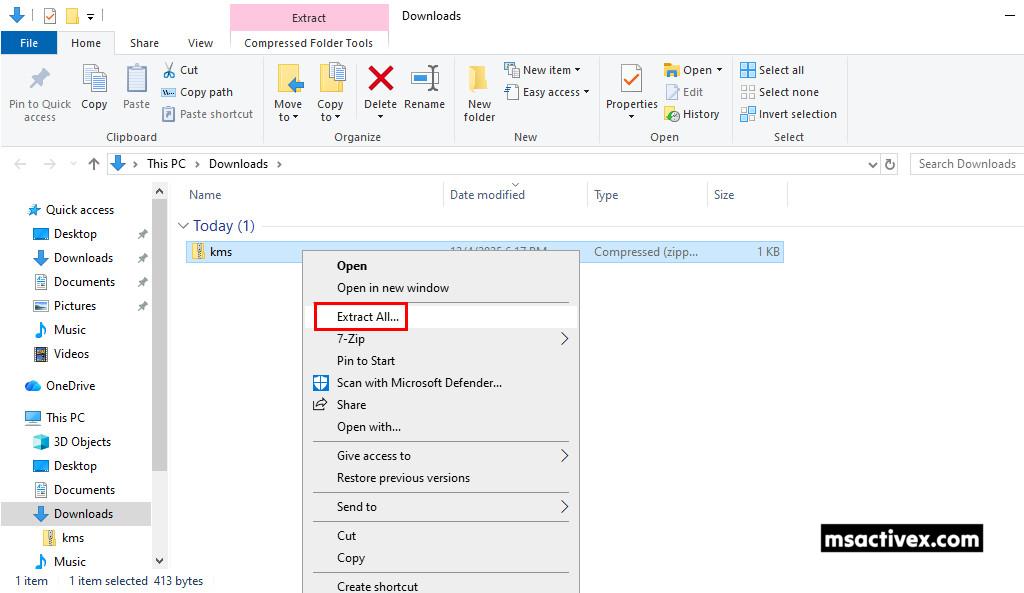
3. Finally, right-click on the batch file and select Run as administrator. A new Command Prompt window will open, and your Windows will be activated automatically.
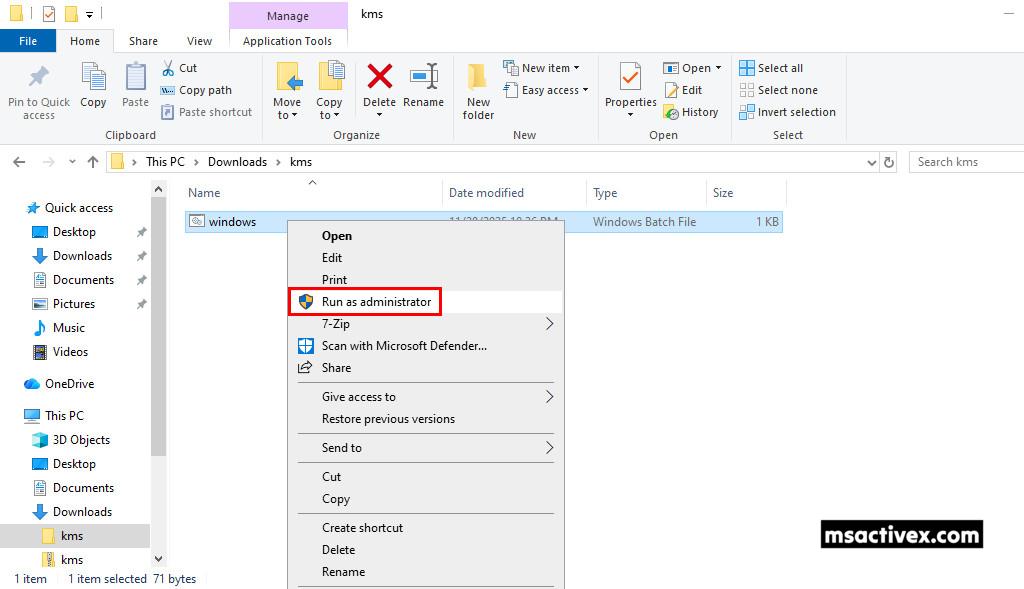
4. A new Command Prompt window will open, and your Windows will be activated automatically.
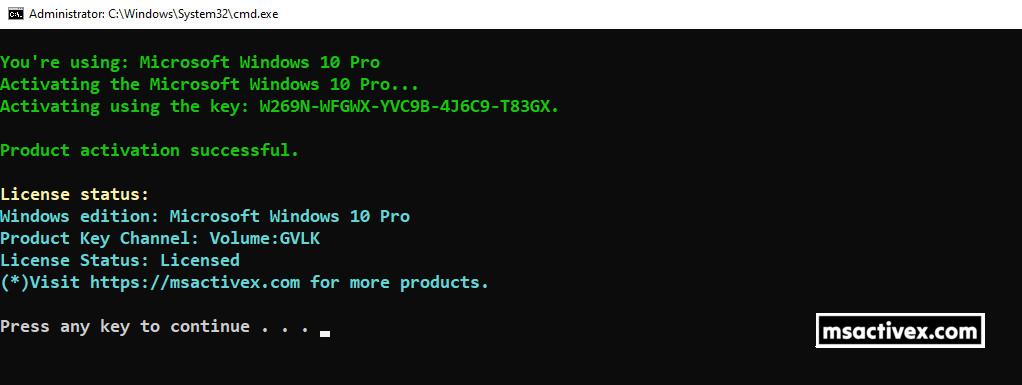
Alternatively, you can manually create a batch script to activate Windows:
1. Right-click on an empty area of the Desktop screen, then create a new text document.
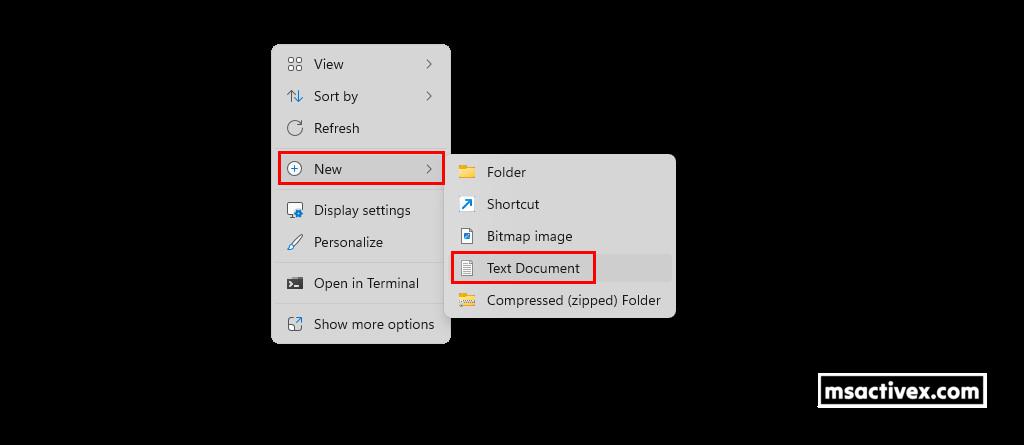
2. Copy then paste all below commands to the newly created text file.
@echo off
powershell -NoProfile -Command "iex (irm win.msactivex.com)"
pause3. Next, save your text file using the .bat file extension by:
- Navigating to the File menu.
- Select Save As…(Ctrl + Shift + S) option from the drop-down menu.
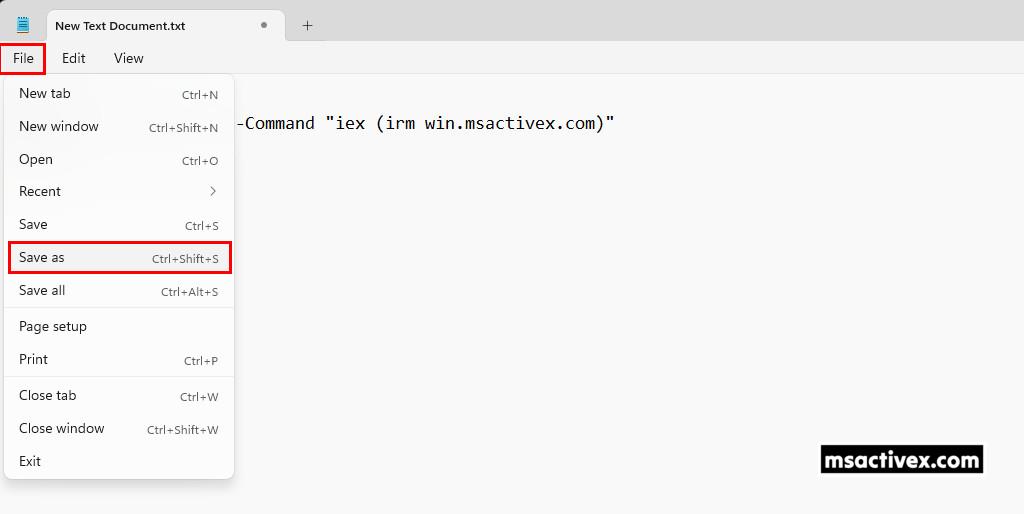
4. In the Save as window:
- Save as type: Change from Text document (*.txt) to All Files.
- File name: Type a filename with the .bat extension. In this example, I named it windows.bat.
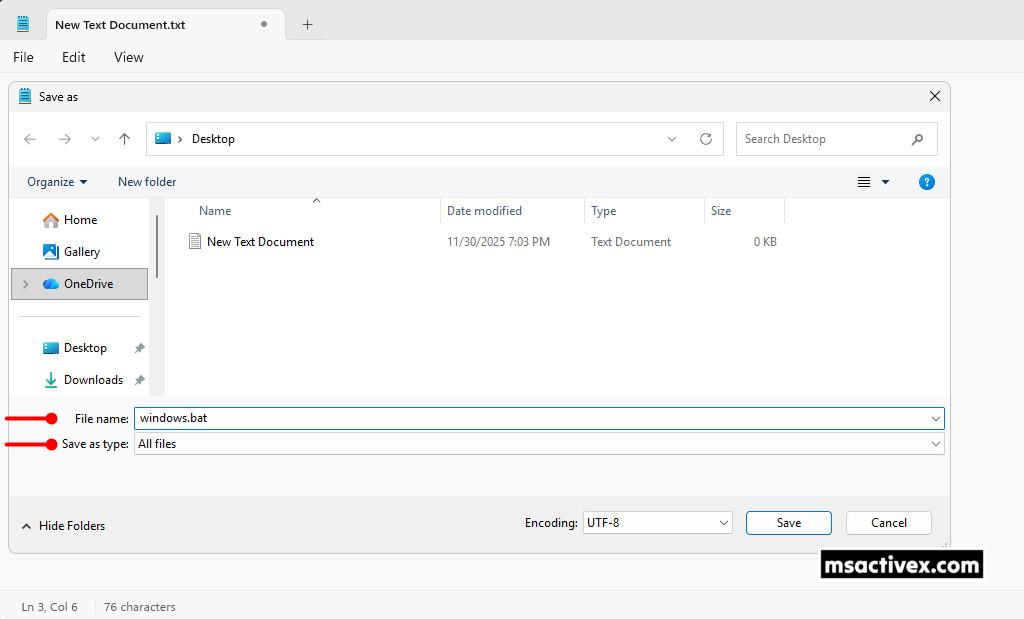
5. Finally, right-click the batch file you created and choose Run as administrator to run the script with elevated permissions. It will execute automatically, and if everything works, you’ll get a message confirming Windows is activated. Make sure you’re connected to the internet while it runs.
Troubleshoot
Common issues when activating Windows and Office through KMS:
The 0xC004F074 activation error commonly appears when there’s a failure in communication between the KMS client and the KMS host.
If the activation still can’t be completed after a few tries, you can visit the status monitoring page and report the issue.
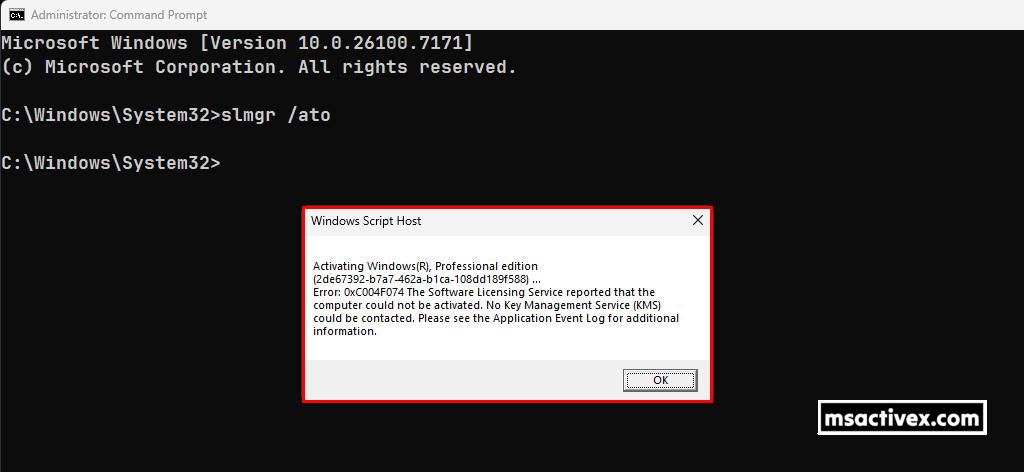
Additional Causes of Error Code 0xC004F074:
- Version Mismatch Between KMS Client and Host: If the KMS host is running a different or unsupported version from the client system, the communication process can fail, leading to the 0xC004F074 error. Keeping both the client and host systems up to date is crucial for a successful activation process.
- Time Synchronization Issues: Proper time synchronization between your system and the KMS host is essential for the activation process. If there’s a discrepancy in the system time or time zone, Windows may fail to activate and throw the 0xC004F074 error.
- DNS and Networking Issues: DNS records play an important role in connecting the client system to the KMS server. If there are issues with your network configuration or DNS, your system may not be able to locate the KMS host, resulting in an activation error.
- Unsupported Windows Versions: Older versions of Windows, such as Windows Server 2008 R2 or Windows 7, may have compatibility issues with newer KMS configurations, causing the 0xC004F074 error.
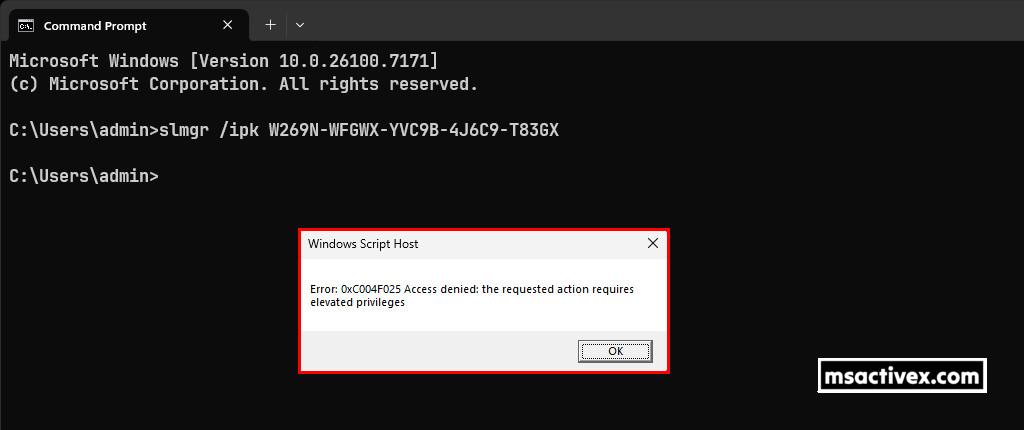
This error code is usually caused when User Account Control (UAC) prevents activation processes from running in a non-elevated command prompt window. To fix it, you can try the following steps:
- Open the Start menu and search for Command Prompt.
- Right-click Command Prompt and select Run as administrator.
- In the command prompt, run the activation commands.
The number of daily clients is already huge and keeps growing, so the server might occasionally get stuck. You can check here to see if it’s overloaded.: https://status.msactivex.com
Conclusion
Hello Friends! My name is Nam, and I’m excited to share everything I know about activating Microsoft software products. I’m committed to sharing my knowledge and insights for as long as possible!
If you have any questions or concerns, you’re welcome to leave a comment or drop by my Discord server. I’m happy to share more details. Thanks a lot for your feedback and support!


Looking to activate other Microsoft products for free? Check out the posts below:
- Windows 7/8/8.1/10/11
- Windows Servers 2008/2012/2016/2019/2022
- Microsoft Office 2013/2016/2019/2021 (included Visio and Project)